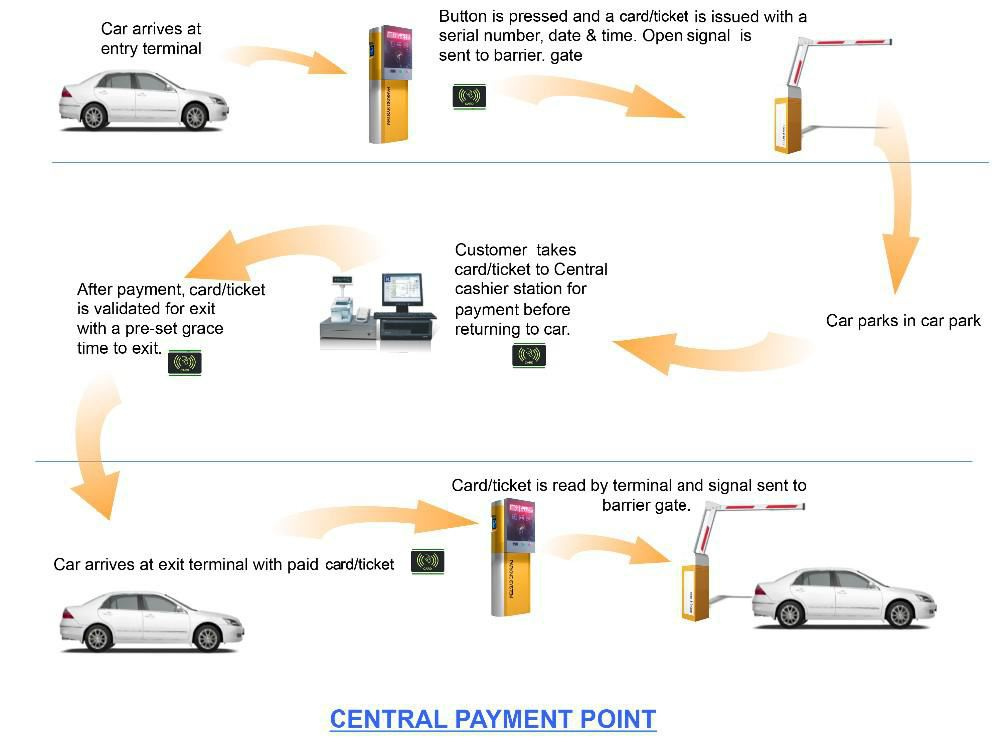
For temporary parking
Entrance system description
-
The driver drives the car to the card reader.
-
The attendant enters the license plate number through the keyboard.
-
The driver presses the card-out button on the card reader's panel to get the card. At the same time, the entrance control machine has automatically read and written the IC card. When the camera reads the card, it photographs the entrance of the car and automatically stores the image in the computer.
-
The display screen of the card reader shows a polite message and emits a voice at the same time.
-
When the barrier gate opens, the driver drives in.
-
The gate closes automatically after entry.
Exit system description
-
The driver drives the car to the exit toll office.
-
Hand the IC card to the attendant.
-
The attendant shakes the IC card in the sensing area of the toll collector. The camera captures the image of the car at the exit at the moment the card is read and automatically compares it with the entrance image. If the confirmation is correct, the charging computer automatically charges according to the charging program; the result is shown on the computer and on the display screen, with a voice prompt.
-
The driver pays the bill.
-
The attendant presses the computer button to confirm, and the computer automatically records the amount received.
-
The display screen shows "goodbye" and gives a voice prompt.
-
The barrier gate opens and the vehicle exits.
-
The gate closes automatically after the car leaves.